
CBSE Class 10 Admit Card 2026: Key Dates and Download Instructions
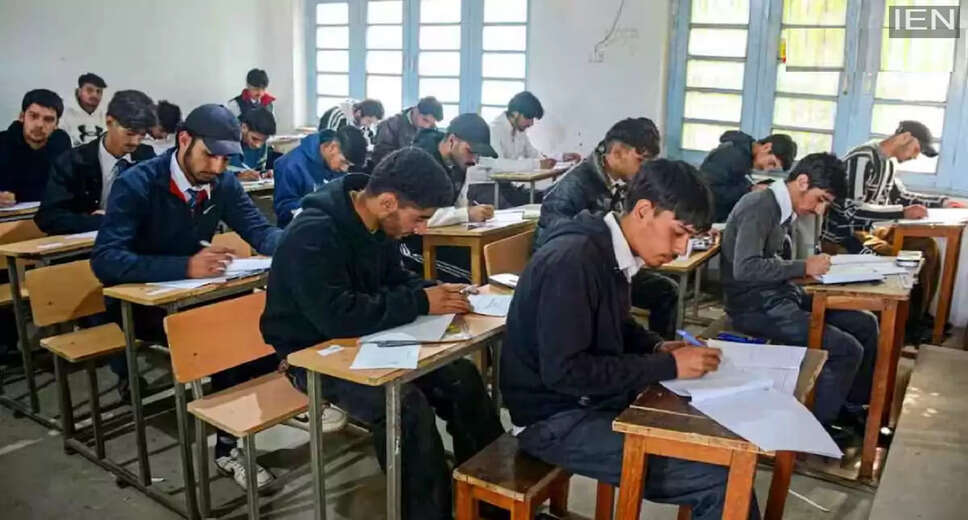
Overview of CBSE Class 10 Exams 2026
The Central Board of Secondary Education (CBSE) will hold the Class 10 examinations in 2026 across two sessions. The initial session is expected to take place from February 17 to March 11, 2026, while the subsequent session is slated for May 15 to June 1, 2026.
New Examination Pattern
Starting in 2026, CBSE will introduce a revised examination format, allowing students to take their Class 10 board exams twice a year. This change provides students with the opportunity to attempt the exams in both February-March and May-June, enhancing their chances of success.
Importance of the Admit Card
The admit card, often referred to as the hall ticket, is an essential document for students. It is mandatory for entry into the examination hall. The card includes vital details such as the student's name, roll number, examination center, subjects, and exam dates. Therefore, obtaining the admit card promptly and verifying its accuracy is crucial.
Release Dates for Admit Cards
For the first session, the admit card is anticipated to be available in the last week of January 2026. The second session's admit card is expected to be released by the end of April.
Key Details on the Admit Card
The admit card will feature important information, including:
1. Student's name and roll number
2. Date of birth
3. Parent's or guardian's name
4. Examination name and subjects
5. Exam dates
6. Examination center's name and address
7. CWSN (Children with Special Needs) category, if applicable
Students should meticulously review their admit cards upon receipt. Any discrepancies should be reported to the school immediately for correction.
Steps to Download the Admit Card
To download the CBSE Class 10 hall ticket PDF, follow these steps:
1. Visit the official CBSE website at www.cbse.gov.in.
2. Click on the "InFocus" tab on the homepage.
3. Locate the link for Admit Cards, LOC (List of Candidates), and Center Material for Board Examinations 2026 and click on it.
4. Enter the User ID and Password provided by your school or the board. Regular students will receive these details from their school, while private candidates will have their login information from registration.
5. Input the security pin (CAPTCHA) displayed on the screen.
6. After entering the User ID, Password, and PIN, click on "Login."
7. Your admit card will appear on the screen after logging in.
8. Download the card as a PDF and ensure to keep at least 2-3 printed copies safely.